

Blog
Workato Recipes Explained: Designing Reliable Enterprise Automations
- January 23, 2026
- Keerthika Velluru
Introduction: The Foundation of Automation in Workato
In modern enterprises, automation is no longer about simply connecting applications. It is about designing workflows that are reliable, governed, and scalable.
At the heart of automation on the Workato platform lies a single core construct: the recipe.
A Workato recipe defines how applications interact, when automation runs, and what logic governs execution. When designed correctly, recipes become maintainable building blocks that power mission-critical business processes across the organisation.
This blog explains how Workato recipes work, their core components, and how best practices such as testing, error handling, and reuse help teams build enterprise-grade automations with confidence.
What Is a Workato Recipe?
A Workato recipe is the fundamental automation unit that orchestrates interactions between applications in a structured and controlled manner.
Each recipe defines:
- When automation starts
- What actions are performed
- How data flows between systems
- How logic and decisions are applied
- How errors are handled
Rather than writing custom code, recipes use a low-code, visual approach that balances simplicity with enterprise-level control.
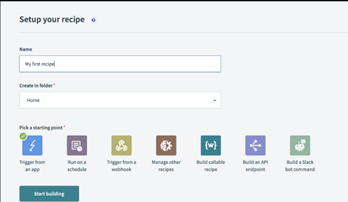
How a Workato Recipe Executes
Every recipe follows a predictable execution lifecycle, ensuring clarity and reliability.
Recipe Execution Flow
- The recipe is enabled and waits for a trigger
- A trigger condition is met (event, schedule, or webhook)
- Actions execute sequentially using mapped data
- Logic blocks (IF, Repeat) control execution paths
- The recipe completes successfully or exits via error handling
Example
A scheduled recipe runs every hour, checks for new records in a source system, validates the data, and creates corresponding records in a target system
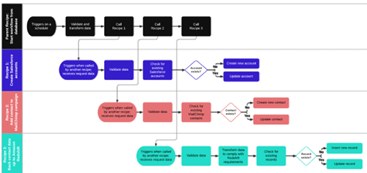
Triggers: Defining When Automation Starts
Overview
Triggers define when a recipe begins execution. They continuously monitor systems and schedules to ensure automation runs at the right time
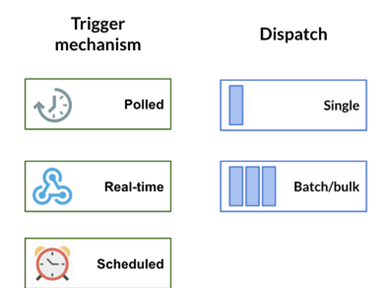
Trigger Execution Flow
- Trigger listens for an event or a scheduled time
- A condition is met (new record, update, or time-based trigger)
- Trigger fires and outputs data as pills
- Recipe execution begins immediately
Example
An event-based trigger starts the recipe as soon as a new record is created, enabling near real-time automation.
Triggers ensure automation is responsive, timely, and aligned with business events.
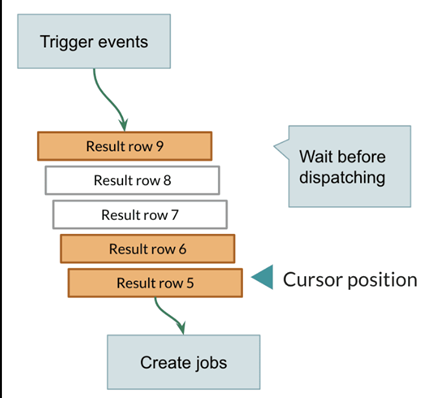
Data Mapping and Data Pills: How Information Flows
Overview
Data pills represent outputs from triggers or actions and are the primary way data moves across recipe steps.
They eliminate manual data handling and keep recipes readable, consistent, and easy to maintain.
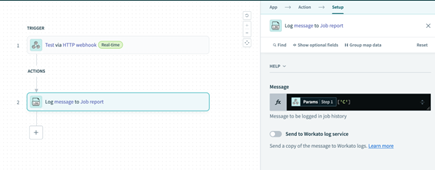
Data Flow Process
- Trigger generates output fields
- Fields appear as data pills
- Pills are mapped into downstream action fields
- Values flow automatically to the next step
Example
An ID pill from a trigger is mapped into a “Create Record” action to maintain linkage between systems.
Formula Mode and Data Transformations
Overview
Formula mode allows inline data transformation to match target system requirements. It supports operations on strings, numbers, dates, and lists.
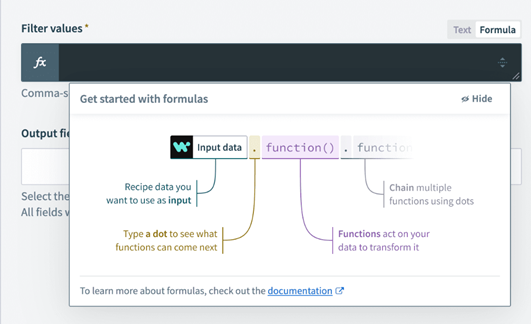
Transformation Flow
- User selects an input field
- Formula mode (fx) is enabled
- Transformation logic is applied
- Transformed value is passed to the next step
Example
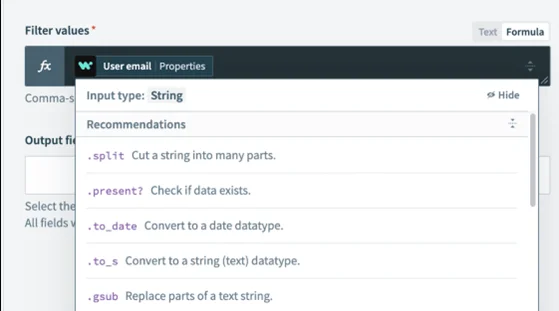
A reference value is split, reformatted, and converted into a readable structure before being sent to another application.
Formula mode enables clean data normalisation without custom code.
IF Conditions: Enabling Decision-Driven Automation
Overview
Suppose conditions allow recipes to make decisions based on evaluated data values. They ensure that automation follows defined business rules.
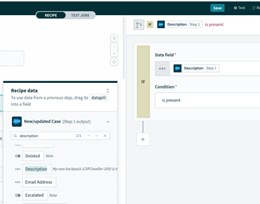
Decision Flow
- Recipe evaluates the condition
- If true, the YES path executes
- If false, the NO path executes
- Only one path runs per execution
Example
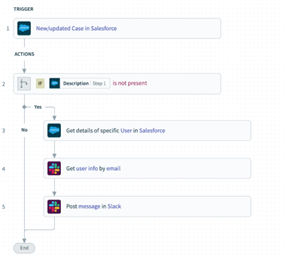
If mandatory information is missing, the recipe follows the NO path and stops further processing.
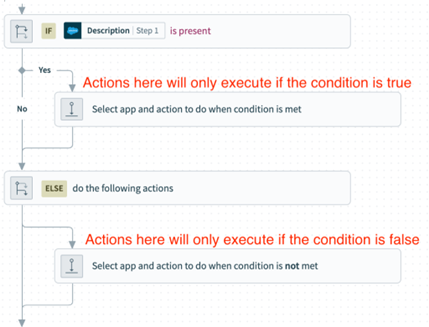
IF logic ensures automation behaves intelligently and predictably.
Repeat Actions: Processing Multiple Records at Scale
Overview
Repeat actions allow recipes to process lists of records efficiently by looping over data returned from previous steps.
Loop Execution Flow
- The previous step returns a list
- Repeat action starts the loop
- Each item is processed individually
- Loop ends after the final record
Example
A search action returns multiple records, and the recipe processes each record within a repeat loop.
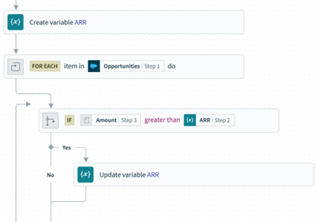
Repeat actions enable scalable, batch-style automation without complexity.
Variables: Managing State Within a Recipe
Overview
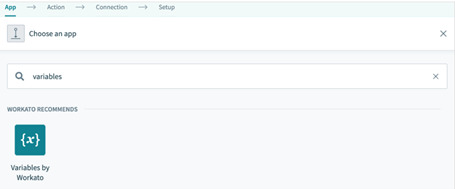
Variables store temporary values during recipe execution and simplify complex logic. They act as in-memory storage for a single recipe run.
Variable Lifecycle
- Variable is initialised
- Value is updated during execution
- Variable is referenced across steps
- Variable is discarded when execution ends
Example
A status variable is updated at each stage and referenced later for decision-making or reporting.
Variables improve readability, maintainability, and control.
Error Handling: Building Resilient Automations
Overview
Error handling ensures automation stability by gracefully handling failures rather than abruptly halting execution.
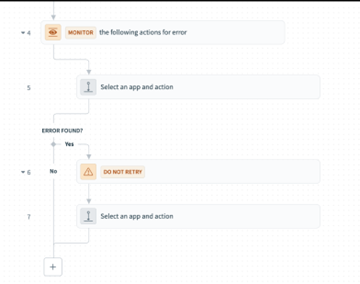
Error Handling Flow
- An action encounters an error
- The Handle Errors block is triggered
- Error details are logged
- Notification or recovery action is executed
Example
If an external system is unavailable, the recipe logs the error and sends a notification instead of failing silently.
Robust error handling is essential for enterprise-grade reliability.
Recipe Testing: Validating Automation Before Production
Overview
Recipe testing allows teams to validate logic, data flow, and execution paths before deployment.
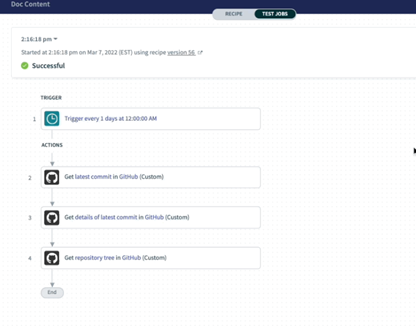
Testing Flow
- Recipe is triggered manually or automatically
- Execution appears in Test Jobs
- Inputs and outputs are reviewed
- Logic paths and loops are validated
Example
A developer reviews test job details to confirm correct IF paths and loop execution.
Testing ensures predictable behaviour and production readiness.
Community Library: Accelerating Automation Development
Overview
The Community Library provides reusable reference recipes and proven patterns created by the Workato ecosystem.
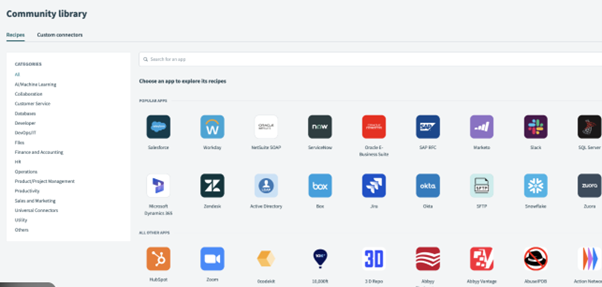
Reuse Flow
- User browses community recipes
- Relevant recipe is copied
- Recipe is customised for internal needs
- Testing is performed before production
Example
A reference recipe is adapted and enhanced to meet specific business requirements.
The Community Library promotes standardisation, speed, and best practices.
Conclusion: Designing Automation with Confidence
Workato provides a powerful yet intuitive platform for building enterprise-grade automations using a low-code approach.
By understanding:
- How recipes are triggered
- How data flows through pills and transformations
- How logic, variables, and error handling control execution
Teams can design automations that are reliable, scalable, and maintainable.
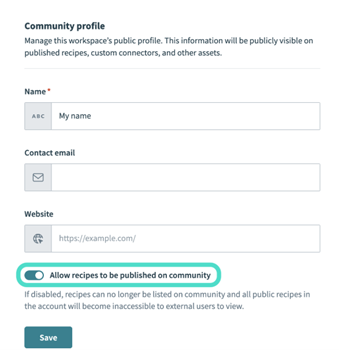
Effective automation is not just about connecting systems—it is about applying the proper structure, validations, and controls at every step. Features such as Test Jobs and the Community Library help teams validate behaviour, learn from proven patterns, and continuously improve the quality of their automation.
When built with clarity and best practices, Workato recipes become trusted automation assets that support complex business processes with consistency and confidence.
How Prowess Software Services Can Help
At Prowess Software Services, we help enterprises:
- Design scalable Workato recipe architectures
- Apply governance and best practices
- Accelerate automation using reusable patterns
- Integrate Workato with enterprise systems and APIs
Looking to scale automation with Workato?
Let’s build it the right way.

Editor: Keerthika Velluru
Frequently Asked Questions:
A Workato recipe is a low-code automation workflow that defines how applications interact using triggers, actions, logic, and error handling.
Workato recipes start with a trigger, execute actions sequentially, apply logic such as IF conditions or loops, and complete or exit through error handling.
Triggers define when a recipe starts, based on events, schedules, or webhooks, and initiate automation by providing input data.
Data pills represent output fields from triggers or actions and are used to map data between steps within a recipe.
Formula mode allows inline data transformation using functions for strings, numbers, lists, and dates without writing custom code.
IF conditions evaluate data values and route execution through either a YES or NO path based on defined business rules.
Repeat the action, looping through a list of records returned by a previous step and processing each item individually.
Variables temporarily store values during a recipe run, helping manage state and simplify complex logic across steps.
Workato provides error-handling blocks that log failures, send notifications, and execute recovery steps, rather than abruptly stopping automation.
Workato recipes provide structure, governance, and scalability, enabling enterprises to build reliable and maintainable automation workflows.