

Salesforce Services
Connect Salesforce to the way your business works.
Give teams reliable customer information and smoother handoffs. ProwessSoft connects Salesforce with enterprise applications, automates workflows and prepares the data foundations for customer experiences and AI.
Close the gaps that slow your teams down.
Conflicting CRM and ERP records
Manual handoffs across departments
Fragile custom integrations
Incomplete data for AI
Clear data ownership and reliable synchronization
Automated updates and accountable next steps
Reusable interfaces and visible error handling
Trusted information and controlled access
Connect the workflow. Support the operation.

Plan around your priorities
We map the applications, data dependencies and handoffs behind your customer workflows to define a practical delivery scope.
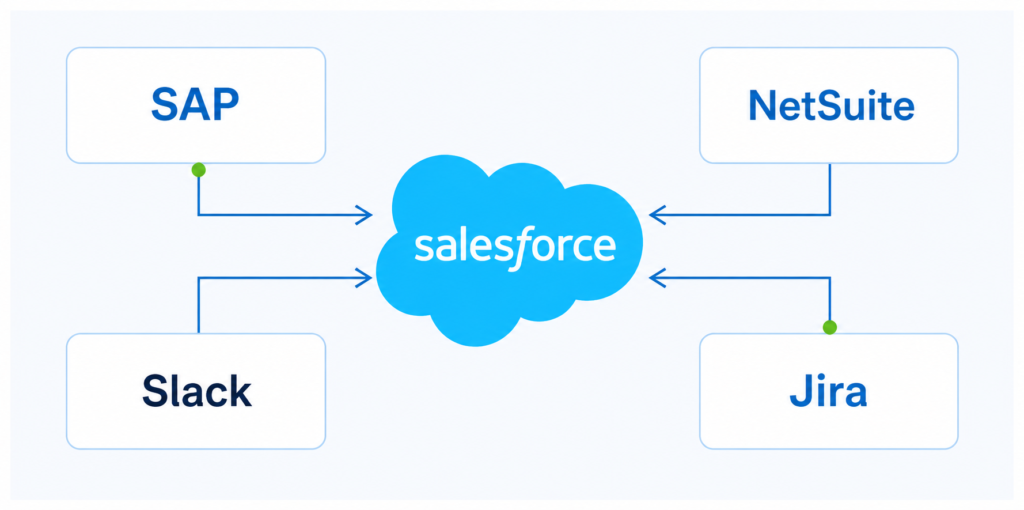
Integrate and automate
We connect Salesforce with systems such as SAP, NetSuite, Slack and Jira, applying experience from order processing, support and delivery automation.

Build for ongoing use
We include validation, monitoring and error handling in delivery, with clear ownership for support and future improvements.
Credentials and experience
400+
employees
4.8/5
CSAT (Customer Satisfaction) Rating
275+
customers

2x
Summit Partner

2x
MuleSoft Partner of the Year

Agentforce
Partner
Choose the capabilities that move your business forward.
Education Cloud
Connect recruitment, admissions and student success with campus systems. Give teams a shared view of students and coordinate engagement across the learner lifecycle.
Revenue Cloud
Connect product catalogs, pricing, CPQ, contracts and billing with ERP and finance systems. Reduce manual handoffs across quoting, orders, subscriptions and usage-based revenue.
Sales Cloud
Connect accounts and opportunities with pricing, inventory and order information. Give sellers useful context and reduce manual handoffs between sales and fulfillment.
Service Cloud
Connect case management with customer, order and collaboration systems. Improve routing and escalation so teams can resolve requests with the right information.
Data 360
Bring customer data together for relevant engagement. Plan source connectivity, identity resolution and activation around a defined use case. Formerly Data Cloud.
Marketing Cloud
Connect marketing journeys with CRM activity, operational events and communication preferences. Keep outreach relevant to each customer’s relationship with your business.
Experience Cloud
Connect customer and partner portals with internal workflows. Give users appropriate access to requests, cases and status updates while maintaining clear permissions.
Agentforce for Education
Connect AI agents with campus data to support student inquiries and advisor summaries. Set clear permissions, human escalation and monitoring for each workflow.
Agentforce
Define a focused AI task, its authorized data and permitted actions. Include human escalation, evaluation and monitoring before expanding into additional workflows.
MuleSoft and Salesforce Integration
Connect Salesforce with ERP, finance and legacy applications. Automate data exchange through suitable APIs and integration patterns, with monitoring and consistent error handling.
Apply Salesforce to the work your industry depends on.

Life sciences
Synchronize customer accounts and orders between CRM and ERP, reducing repeated entry and improving order visibility.

Automotive marketplaces
Keep Salesforce cases and team conversations aligned so support staff can coordinate without copying updates between tools.

Technology and professional services
Trigger delivery tickets when opportunities close and pass relevant customer information into downstream work.

Manufacturing and distribution
Bring ERP pricing, inventory and order updates into Salesforce to support sales conversations and fulfillment handoffs.

Higher Education
Connect Salesforce with student information and campus systems to improve information flow across admissions and student services.
Life sciences
Synchronize customer accounts and orders between CRM and ERP, reducing repeated entry and improving order visibility.
Results from connected customer workflows.
60%
less order processing time –
Salesforce and NetSuite integration for a biotechnology company.
40%
Salesforce and Slack integration for an automotive marketplace.
100%
Salesforce and NetSuite integration for a biotechnology company.
Insights

Case studies
See how connected Salesforce workflows improve order processing, support collaboration and delivery handoffs.

Blogs
Explore integration patterns, workflow automation and the data foundations behind effective Salesforce experiences.

Whitepapers
Examine API-led architecture and modernization approaches for connecting Salesforce with enterprise systems.

Demos
Discuss a walkthrough of a relevant workflow, from CRM-to-ERP synchronization to automated support handoffs.
Frequently asked questions
Yes. We assess the current setup and dependencies to identify what can be extended and where changes are needed.
No. Direct APIs, existing integration services or MuleSoft may fit, depending on complexity, reuse and support requirements.
Yes. A focused first phase can address account synchronization, support handoffs or another priority with clear acceptance criteria.
Scope, data quality, customization, system access and testing requirements shape the estimate. Discovery establishes dependencies and delivery phases.
We agree monitoring, incident handling and enhancement responsibilities, including the support coverage appropriate to the delivered solution.
Make Salesforce work better across your business.
Tell us where information gets stuck or teams rely on manual work. Let’s discuss your priorities and a practical starting point.